
Name-Based Case Searches
Caldwell Parish offers no free public name-search form on its official site. The Clerk points visitors to a statewide access route instead. Its search controls only appear after you sign in. Register first if you want to try a name search. But hold off on assumptions. Until the authorized Caldwell catalog is open, there is no guarantee of a last-name field, wildcards, date filters, or a public results list.
Sort out the venue before anything else. Records of the 37th Judicial District Court for Caldwell Parish live with the Caldwell Parish Clerk of Court. A municipal citation starts with the mayor's court that issued it. Justice-of-the-peace matters sit with their own local office. Skip this step and a district-court docket search looks empty. The case is simply filed elsewhere.
- Open the Caldwell Clerk resources page and select the statewide portal path for the record type.
- Register and verify an account if the portal requires it, then check whether Caldwell and the needed subscription level are offered.
- If the authorized search displays a name field, enter the party name exactly as known and record the court, case year, and search date.
- Open the docket or register rather than relying on a document thumbnail, then ask the Clerk about an image or copy when the needed filing is not linked.
| Field label | Type | Required | Observed note |
|---|---|---|---|
| Email text | Yes | eClerksLA Statewide Portal authentication field. | |
| Password | Password | Yes | Authentication field, not a docket filter. |
| Remember me? | Checkbox | Marked required | Portal preference or authentication control. |
| Parish | Dropdown | Post-login | Quickstart materials describe selection; Caldwell availability must be confirmed. |
| Subscription level | Dropdown | Post-login | Options and any search fields are not publicly exposed. |
Caldwell Parish Docket Resource Route
The local starting point is the Clerk's resources page, not a general search box. It links to the Statewide Portal. It explains Parish Search access. It also carries a warning worth noting: documents filed before August 2017 are not linked with later filings. A hit on a case may mean checking two places. Check both the image collection and the index to catch newer notations.
Keep two tasks separate. An authenticated search is one thing; an eFiling transaction is another. Caldwell's instructions on filing cover suit information, parties, document uploads, pleading types, questions, and submission. Those fields exist for filing a document. They are not a public docket-search screen.
Note: Save the search date before asking for help with a missing image or record. Also save every case detail on screen.
Case Number Searches
Caldwell Parish has published no public case-number format, case-type code list, or sample number. So never build one from a guessed year, court code, or sequence. When a notice, petition, minute entry, or citation hands you a real number, use it exactly as printed. Give the Clerk the court, the approximate year, and the case type when you call.
A known number becomes useful only after login. It also depends on the authorized Caldwell search including a number field. The official materials say nothing about punctuation rules, leading zeros, or wildcards. They also say nothing about whether archived images are reachable. A number that returns nothing deserves one more question. Does the case belong to a mayor's court, a justice-of-the-peace court, federal court, or a restricted record category?
Caldwell Parish Docket Access Gate
The eClerksLA Statewide Portal greets you with an email-and-password login. Registration and password-recovery options sit alongside. Its Criminal Search path sits behind the same gate. So there is an account layer. The public login screen does not show a free name or case-number list for Caldwell Parish court records.
Once you are in, the published Quickstart walks through picking a parish. It also covers choosing a subscription level, ordering access, viewing search details and images, and managing carts. The account itself is where current Caldwell availability, coverage, and price live. Those details can shift, and the public screen never exposes them.
The eClerksLA home page is the official source for the statewide entry screen.
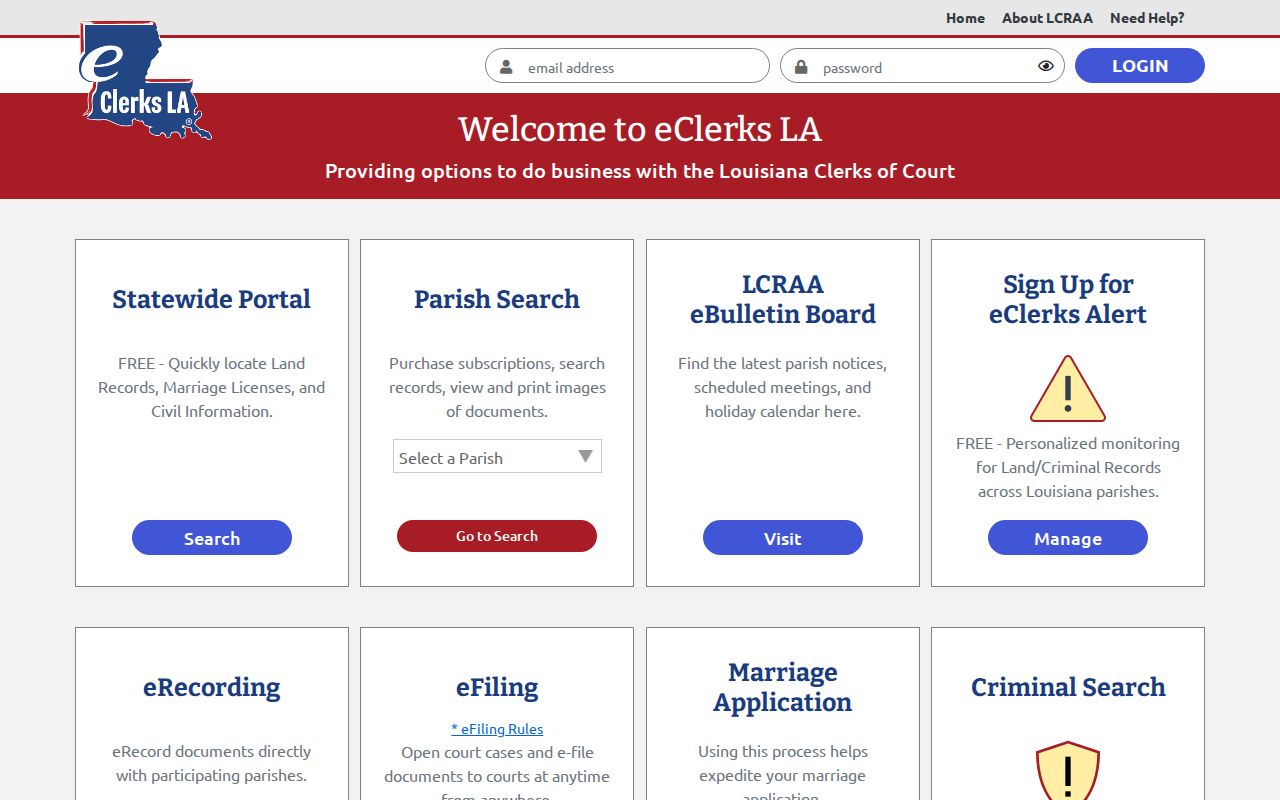
No shortcut exists past the sign-in. A reader must complete account access before learning whether a particular Caldwell Parish docket can be reached that way.
Case Search Results Explained
An authorized docket or register, when one is available, is the timeline of a case. It collects filings, orders, settings, and outcomes. The public Caldwell materials include no actual district-court result page. So treat each field below as an inventory of what a record contains. It is not a promise of how the portal currently displays it. One more wrinkle deserves mention. A document image may be separately gated, priced through a cart, missing, or simply unavailable for older filings.
| Case or suit number | Unique identifier where exposed; no public Caldwell format is published. |
|---|---|
| Style and parties | Caption plus public roles such as plaintiff, defendant, petitioner, respondent, or State. |
| Court and filing date | Venue, assigned judge or division where exposed, and date accepted by the Clerk. |
| Register entries | Date-ordered filings, service, motions, orders, hearings, pleas, judgments, and disposition. |
| Settings and documents | Date, time, setting type, and reset history where published; images may have separate limits. |
Caldwell Parish Docket Image Check
The Clerk's pre-August-2017 warning should change how you read an older Caldwell Parish docket. A newer entry may point back to a prior filing. The earlier image may not sit beside it in the same sequence. Compare the register dates against the image index. Then ask the Clerk what your case lookup needs: a paper file, an older image, or a separate index search. That extra step beats assuming the first image link is the whole file. The official materials publish no fixed archive cutoff or turnaround time. They make no promise that every historical image is online.
Caldwell Parish Docket Result Notes
Write down the caption, case number, and court before you open a PDF or order a copy. Add the filing date and current setting. Note the title and date of the document you need. A docket is only an event history, not the paperwork itself. A filing image, minute extract, judgment, or certified copy is a separate product. Each carries its own availability rules and fees.
- Docket or register
- The chronological court record of filings, settings, and outcomes.
- Notice of setting
- Notice that a date or time was assigned, not proof that the proceeding occurred.
- Disposition
- A final or interim result, such as a judgment, dismissal, settlement, or conviction.
- Certified copy
- A Clerk-authenticated copy, distinct from a portal image or ordinary printout.
Two Ways to Search: County and State
Two statewide services sit on top of the local system. eClerksLA and the Louisiana Clerks’ Remote Access Authority both cover records across the state, including filings that touch Caldwell Parish. For anything tied directly to 37th Judicial District Court, though, the Caldwell Clerk is the office that keeps the record. Start there.
One wrinkle is worth flagging. The Clerk’s resources page lists Clerk Connect as a search option, but the public Clerk Connect parish list leaves Caldwell off it. That mismatch matters. Call the Clerk and confirm first. Rely on Clerk Connect for a Caldwell Parish docket search only after that.
| eClerksLA / LCRAA | Caldwell Clerk route |
|---|---|
| Statewide remote-access platform for participating parish access. | Local custodian for 37th JDC civil, criminal, family, and probate files. |
| Account login and subscription selection are documented; current Caldwell filters are not public. | Counter, phone, mail, and records-request alternatives apply when online access is unclear. |
| Use only after the catalog confirms Caldwell and the needed record type. | Use for old-image questions, copies, case status, and access confirmation. |
Clerk Connect’s public landing lists participating parishes before login. That list alone does not confirm Caldwell Parish coverage, so treat it as a starting point rather than proof.
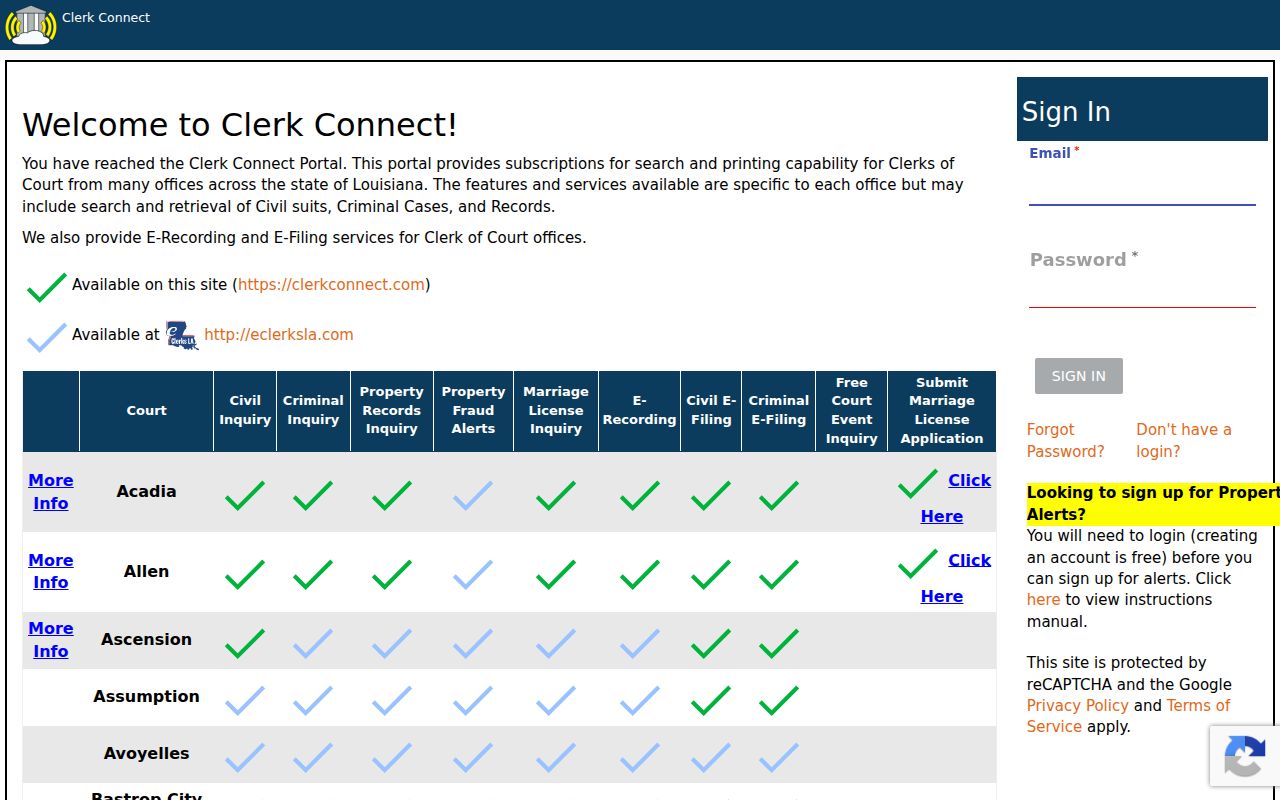
When the two official access references disagree, ask the Caldwell Clerk directly. A quick call settles coverage that a login page cannot.
Caldwell Parish Traffic Docket Boundary
Columbia’s Quick-Court page handles town citations only. It lets you look up and pay a municipal ticket. It is not the 37th JDC case search. Expect fields for first name, last name, address, city, state, and zip, with a driver-license or ticket-number alternative. There is no full district-court register, no event history, no date-range selector, no export control, and no certified-document feature.
Save that route for a Columbia municipal citation. Clarks and Grayson tickets go through their own mayor’s courts, and district court matters belong with the Caldwell Clerk. Venue matters more than the search box you use.
Note: A traffic result missing from a criminal access screen may sit with the issuing municipal or justice court instead.
Caldwell Parish Docket Setting Contact
A case search can surface a setting. Yet an older portal view is never the final word on a live hearing date. For uncertainty about settings, the published Caldwell contact is the Court Administrator at 318-649-6404. Give the case number, the court, and the date on screen. Then ask which setting controls now.
Continuances and resets can leave an earlier entry visible. That happens when a later order moves the hearing. A notice of setting proves notice went out, not that the proceeding happened. The latest order plus court confirmation beats a stale printout every time.
Which Cases Stay Restricted
Code of Civil Procedure Article 251 names the Clerk custodian of court records and generally allows public examination and copying unless law restricts access. That rule does not put every record online. Juvenile matters may be confidential under Children’s Code Article 412. Expunged arrest or conviction records are confidential under Code of Criminal Procedure Article 973.
A missing result has many causes. It may be the wrong court, an account barrier, a broken older image link, a traffic exception, a spelling issue, or a restricted record. Ask the Clerk whether nonrestricted docket information exists and what procedure applies. An empty portal result says nothing about the underlying matter.
Caldwell Parish Docket Search Fallback
When account access fails or an older record will not match, contact the Caldwell Parish Clerk of Court. The office sits at 201 Main Street, Suite 1, Columbia, Louisiana. You can also call 318-649-2272. Written public-record requests go to P.O. Box 1327, Columbia, LA 71418. The fax line is 318-649-2037, though criminal fax filings are not accepted. Name the court and the party. Add the case number if known and the approximate year. Say whether you want inspection, a docket/register, minutes, an image, or a certified copy.
The Louisiana Judiciary Caldwell page identifies the 37th JDC. For a current settings question, the Court Administrator at 318-649-6404 is the published contact. Federal cases take the separate Western District of Louisiana PACER and CM/ECF route, not the Caldwell Parish docket path.
The federal system runs in parallel to the parish one. It does not supply the state district-court records the Caldwell Clerk holds.
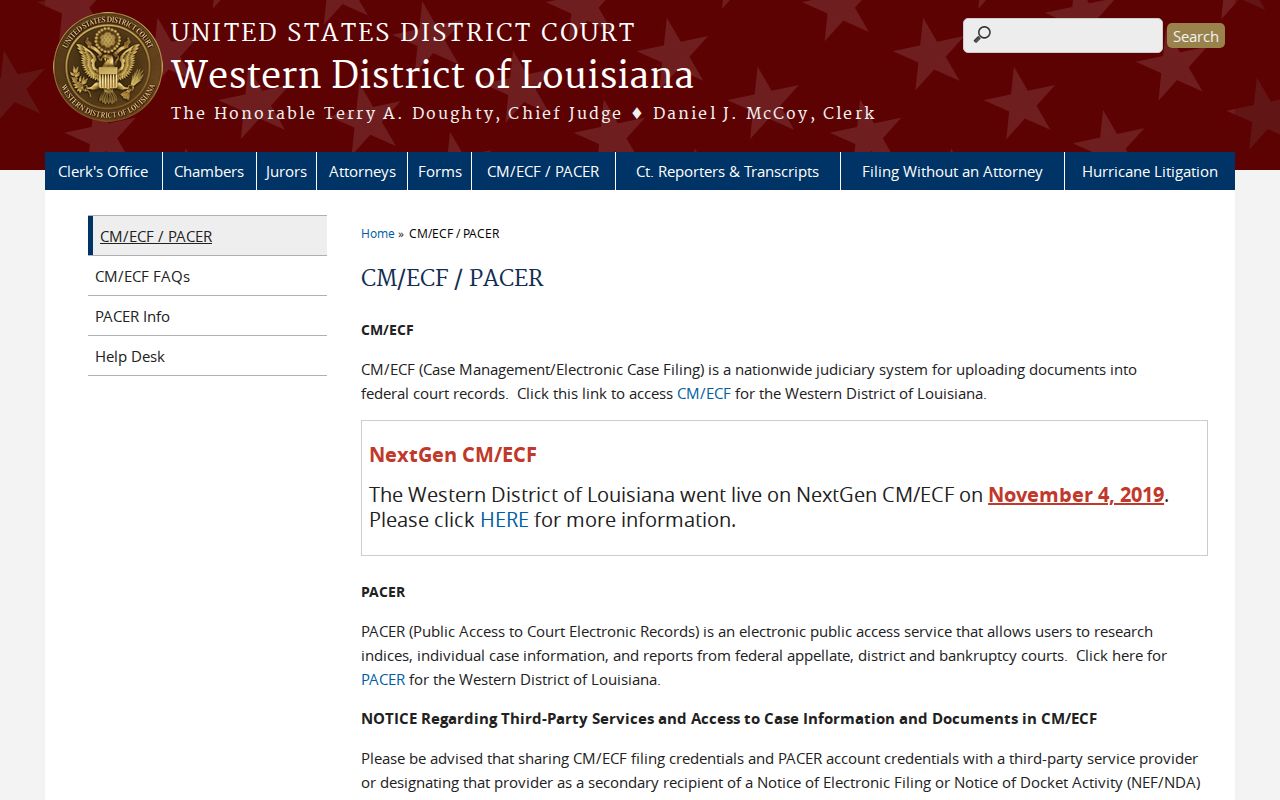
Keeping federal and parish systems separate makes a missing case search far easier to diagnose.
Caldwell Parish Login Search Limits
The public eClerksLA login screen asks for account credentials, not case details. Before login, it offers no Caldwell filters. None exist for party name, case number, or date range. The same goes for status, attorney, result limits, and export. Rely on what an authorized session actually displays rather than generic search advice.
The statewide login page provides registration and password links. Those establish a real access route without promising the scope of post-login Caldwell records.
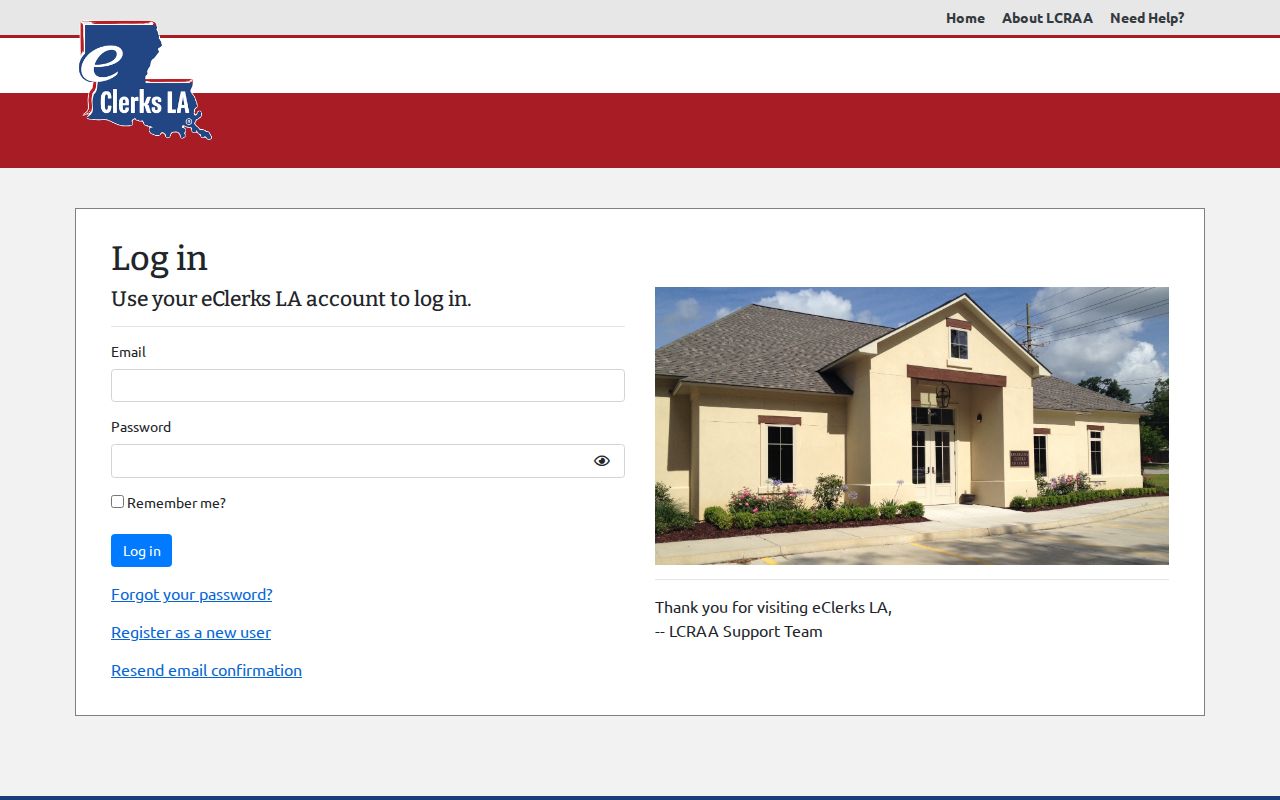
After login, compare the catalog and access terms against the Clerk’s local instructions before trusting a result.